> ## Documentation Index
> Fetch the complete documentation index at: https://docs-staging.poolside.ai/llms.txt
> Use this file to discover all available pages before exploring further.
# Visualizing data flows
> This use case demonstrates how to use Poolside to generate visual representations of code structures, workflows, and architectures using Mermaid diagrams.
## About Mermaid diagrams
A Mermaid diagram is a way to create visual charts and graphs using plain text code instead of drawing tools.
How it works:
1. **Write text**: You type special commands in a text-based syntax.
2. **Automatic visualization**: The system converts your text into a professional-looking diagram.
3. **Edit diagrams**: Change the text to update the diagram instantly.
Example:
```text theme={null}
graph LR
A[Start] --> B[Process] --> C[End]
```
This text creates a flowchart with three boxes connected by arrows.
Mermaid diagrams are commonly used for:
* Flowcharts for processes
* System architecture diagrams
* User journey maps
* Code structure documentation
## Generate Mermaid diagrams
Poolside can generate Mermaid diagram code that you can render in documentation or diagramming tools.
For example, run:
```bash theme={null}
pool exec -p "Create a Mermaid flowchart for a user login process. Return only the Mermaid code."
```
## Common diagram types
### Flowcharts
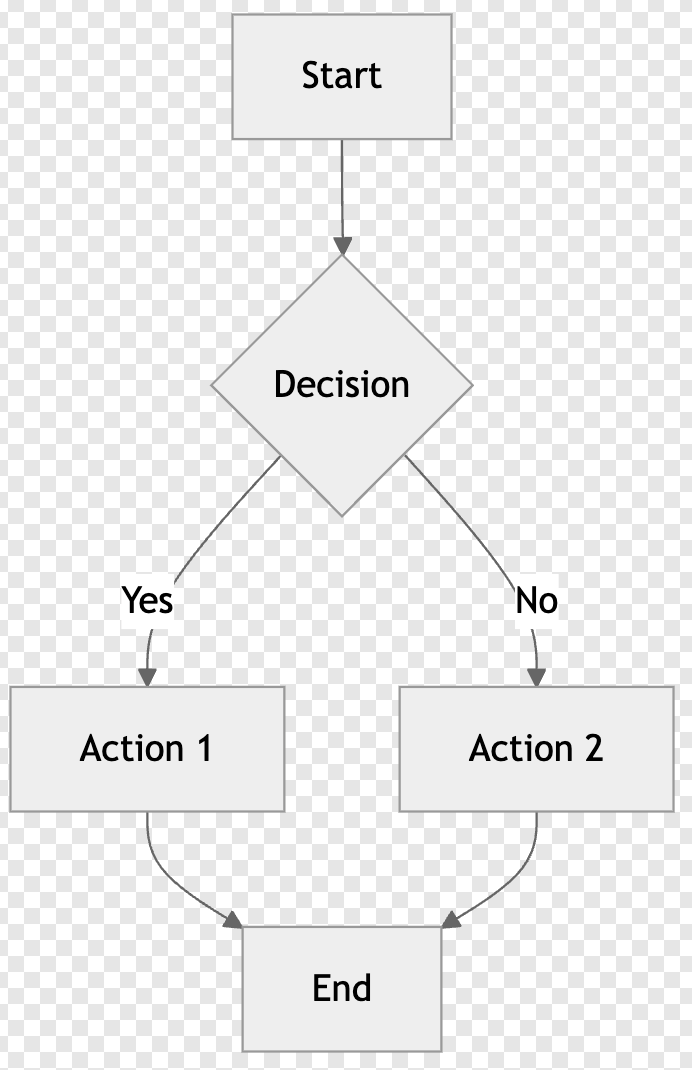
**Prompt:** `Create a flowchart showing user registration process with validation steps`
**Response:**
```text theme={null}
graph TD
A[Start] --> B{Decision}
B -->|Yes| C[Action 1]
B -->|No| D[Action 2]
C --> E[End]
D --> E
```
 ### Sequence diagrams
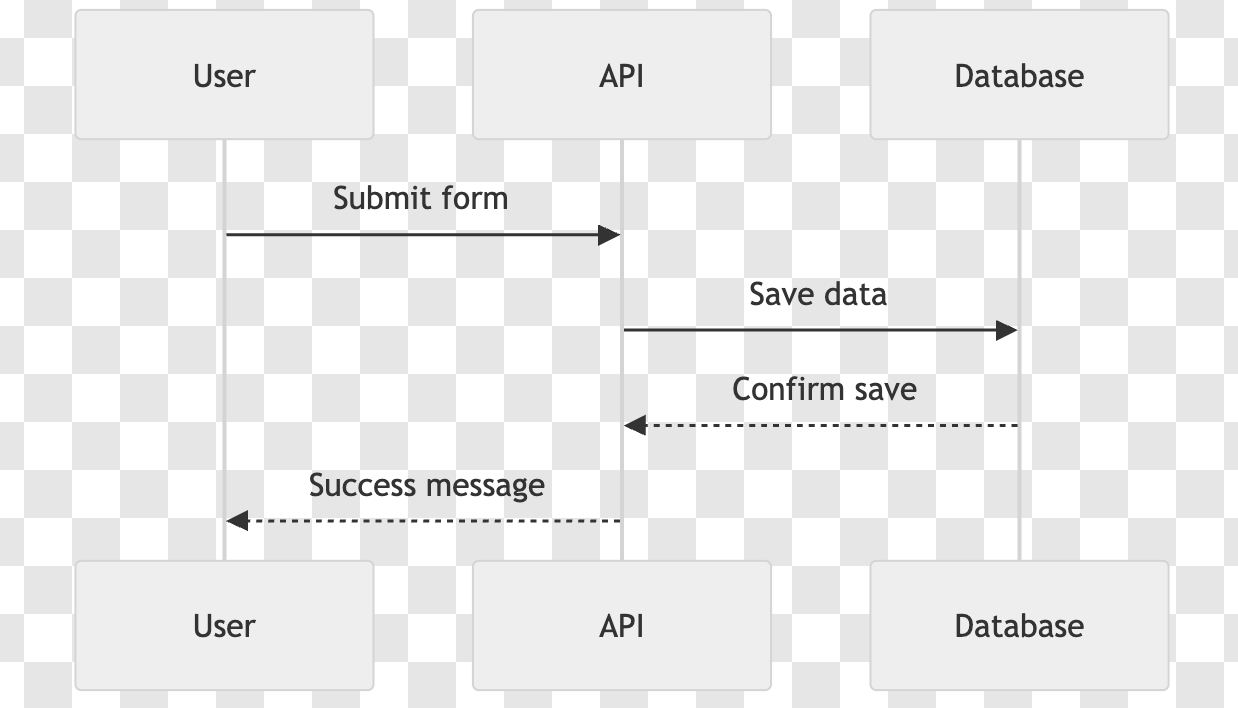
**Prompt:** `Generate a sequence diagram for a login process with authentication service`
**Response:**
```text theme={null}
sequenceDiagram
participant User
participant API
participant Database
User->>API: Submit form
API->>Database: Save data
Database-->>API: Confirm save
API-->>User: Success message
```
### Sequence diagrams
**Prompt:** `Generate a sequence diagram for a login process with authentication service`
**Response:**
```text theme={null}
sequenceDiagram
participant User
participant API
participant Database
User->>API: Submit form
API->>Database: Save data
Database-->>API: Confirm save
API-->>User: Success message
```
 ### Class diagrams
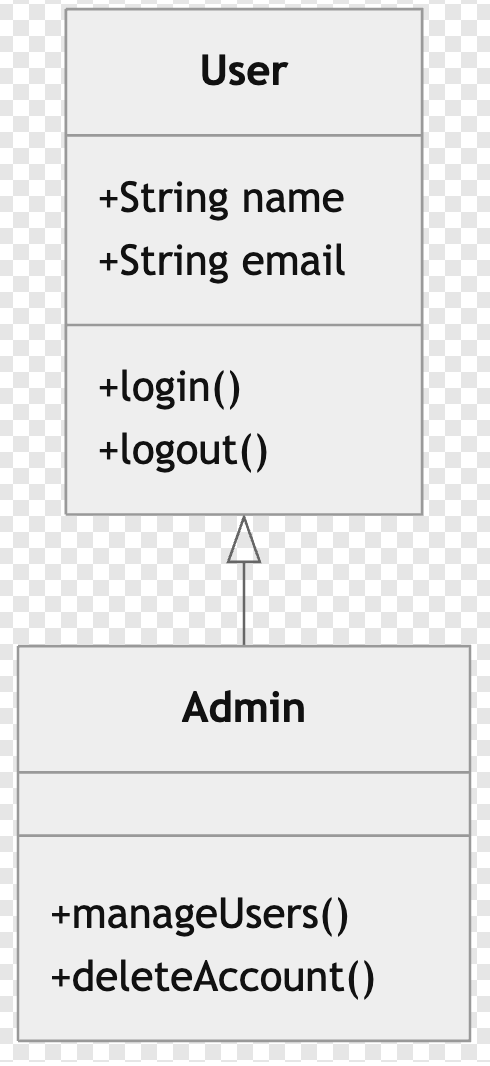
**Prompt:** `Create a class diagram for a user management system with User and Admin classes`
**Response:**
```text theme={null}
classDiagram
class User {
+String name
+String email
+login()
+logout()
}
class Admin {
+manageUsers()
+deleteAccount()
}
User <|-- Admin
```
### Class diagrams
**Prompt:** `Create a class diagram for a user management system with User and Admin classes`
**Response:**
```text theme={null}
classDiagram
class User {
+String name
+String email
+login()
+logout()
}
class Admin {
+manageUsers()
+deleteAccount()
}
User <|-- Admin
```
 ### State diagrams
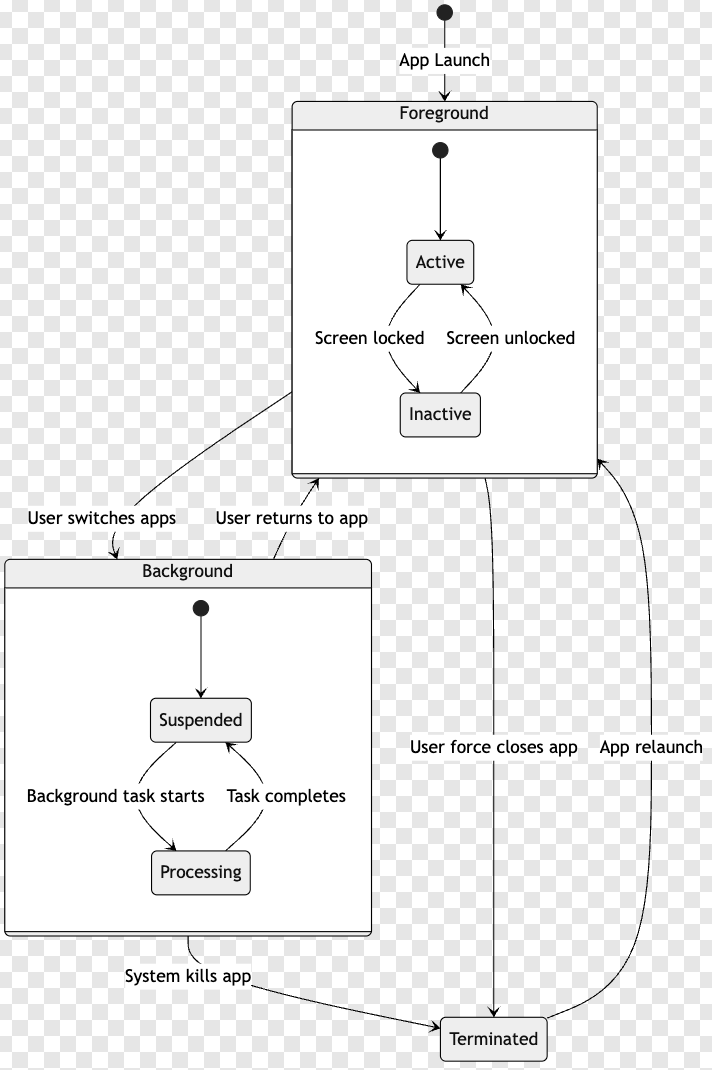
**Prompt:** `Design a state diagram for a mobile app with foreground, background, and terminated states`
**Response:**
```text theme={null}
stateDiagram-v2
[*] --> Foreground: App Launch
Foreground --> Background: User switches apps
Background --> Foreground: User returns to app
Background --> Terminated: System kills app
Foreground --> Terminated: User force closes app
Terminated --> Foreground: App relaunch
state Foreground {
[*] --> Active
Active --> Inactive: Screen locked
Inactive --> Active: Screen unlocked
}
state Background {
[*] --> Suspended
Suspended --> Processing: Background task starts
Processing --> Suspended: Task completes
}
```
### State diagrams
**Prompt:** `Design a state diagram for a mobile app with foreground, background, and terminated states`
**Response:**
```text theme={null}
stateDiagram-v2
[*] --> Foreground: App Launch
Foreground --> Background: User switches apps
Background --> Foreground: User returns to app
Background --> Terminated: System kills app
Foreground --> Terminated: User force closes app
Terminated --> Foreground: App relaunch
state Foreground {
[*] --> Active
Active --> Inactive: Screen locked
Inactive --> Active: Screen unlocked
}
state Background {
[*] --> Suspended
Suspended --> Processing: Background task starts
Processing --> Suspended: Task completes
}
```